What is Kube-DC?
Kube-DC is a Kubernetes-native cloud platform. It delivers multi-tenant compute, networking, storage, and data services on shared infrastructure. An Organization gets one API and one web console for its Projects, virtual machines, Managed Clusters, databases, and the cloud resources around them.
Kube-DC Cloud is the hosted offering built with Kube-DC. The service provider operates the platform underneath. You manage your Organization, Projects, access, workloads, and services.
What you can run
- Projects: the default way to deploy. Take your Project's kubeconfig and run applications, jobs, services, VMs, and compatible Helm charts directly. There is no cluster to provision first. See Projects.
- Virtual machines: Linux and Windows guests with cloud-init, persistent storage, a browser console, and SSH, on the same network as your containers.
- Managed Clusters: a tenant-controlled cluster of your own, provisioned by the platform, for software that needs operators, custom resource definitions, or other cluster-scoped control.
- Managed services: a provider catalog with service-specific operations and credential rotation.
- Networking: a private network (VPC) per Project, public and floating IPs, load balancers, and HTTPS ingress with automatic certificates.
- Storage and data: block volumes for pods and VMs, S3-compatible object buckets, and backups.
- Security services: managed secrets, certificates, database credentials, and encryption keys.
The mental model
Kube-DC organizes everything in two levels:
An Organization is the account boundary. It owns an organization-scoped identity realm (SSO), membership, and billing.
A Project is the working boundary for a team or an environment. It combines a Kubernetes backing namespace, Project RBAC, a private network, an optional quota, and a kubeconfig for direct API access. All of this is ready the moment the Project exists.
Within a Project you choose the execution boundary for each workload:
- Deploy directly in the Project for supported namespaced resources and unprivileged workloads. This is the default path.
- Create a Managed Cluster when the software needs control of Kubernetes at cluster scope: operators, custom resource definitions, multiple namespaces, or privileged access.
The two are separate deployment targets with separate API endpoints. Choose before you deploy. You cannot migrate a workload from one to the other later.
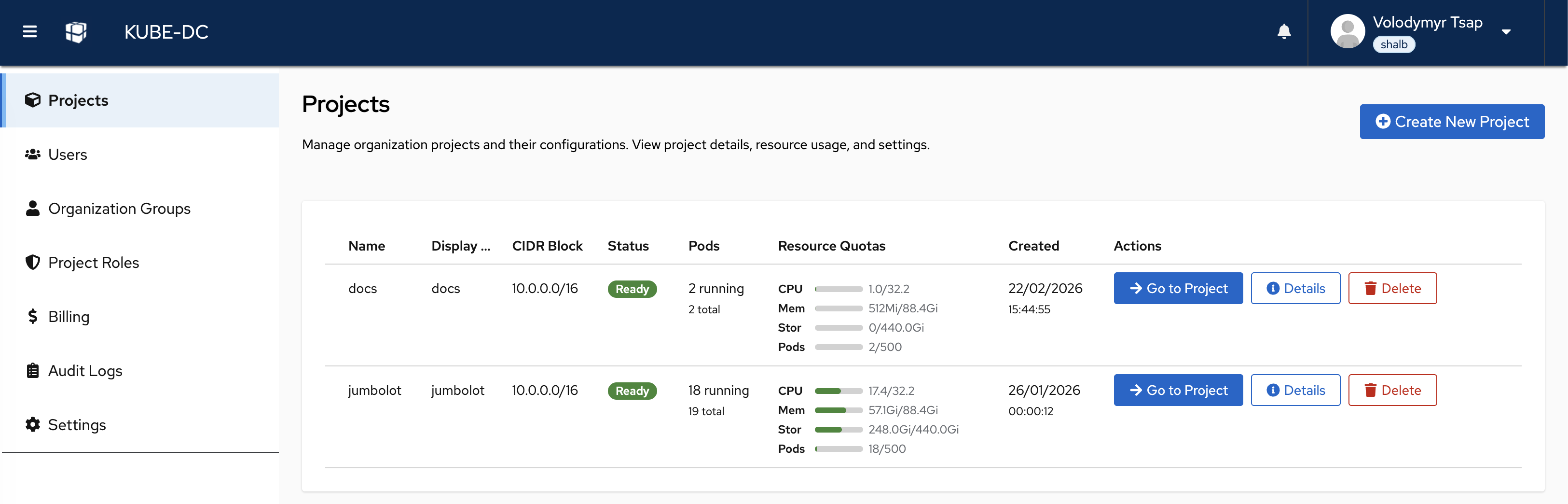
Kubernetes-native management
Kube-DC exposes its cloud services through Kubernetes APIs that the platform installs and operates. Everything you can click in the console is a Kubernetes resource in your Project. The same state is therefore available to:
- The Kube-DC web console
kubectland the Kubernetes API- Compatible Helm charts, meaning charts whose rendered resources use the Project's supported namespaced APIs
- Terraform, through the Kubernetes provider
- An externally managed GitOps controller such as Argo CD or Flux, pointed at your Project kubeconfig
- AI coding assistants, through agent skills
A Project does not let tenants install cluster-level extensions. For the exact capability boundary, see Projects.
Next steps
- Core concepts describes the Organization and Project model, isolation, and deployment modes.
- Projects shows how to deploy without provisioning a cluster.
- Create your first Project walks through the first working boundary.