Use the console
As a Project member, use the console to create, connect, and operate managed services. The console and manifests use the same managed services API. The console offers YAML for supported creation and operation requests.
Before you begin
Check these requirements:
- Your provider enables managed services for your organization and publishes at least one plan.
- You have the Project
adminordeveloperrole to create services or request operations. - You know the capacity, availability, and recovery needs of your application.
Open Managed services in the Project navigation. Read-only roles can inspect services and status.
The catalog
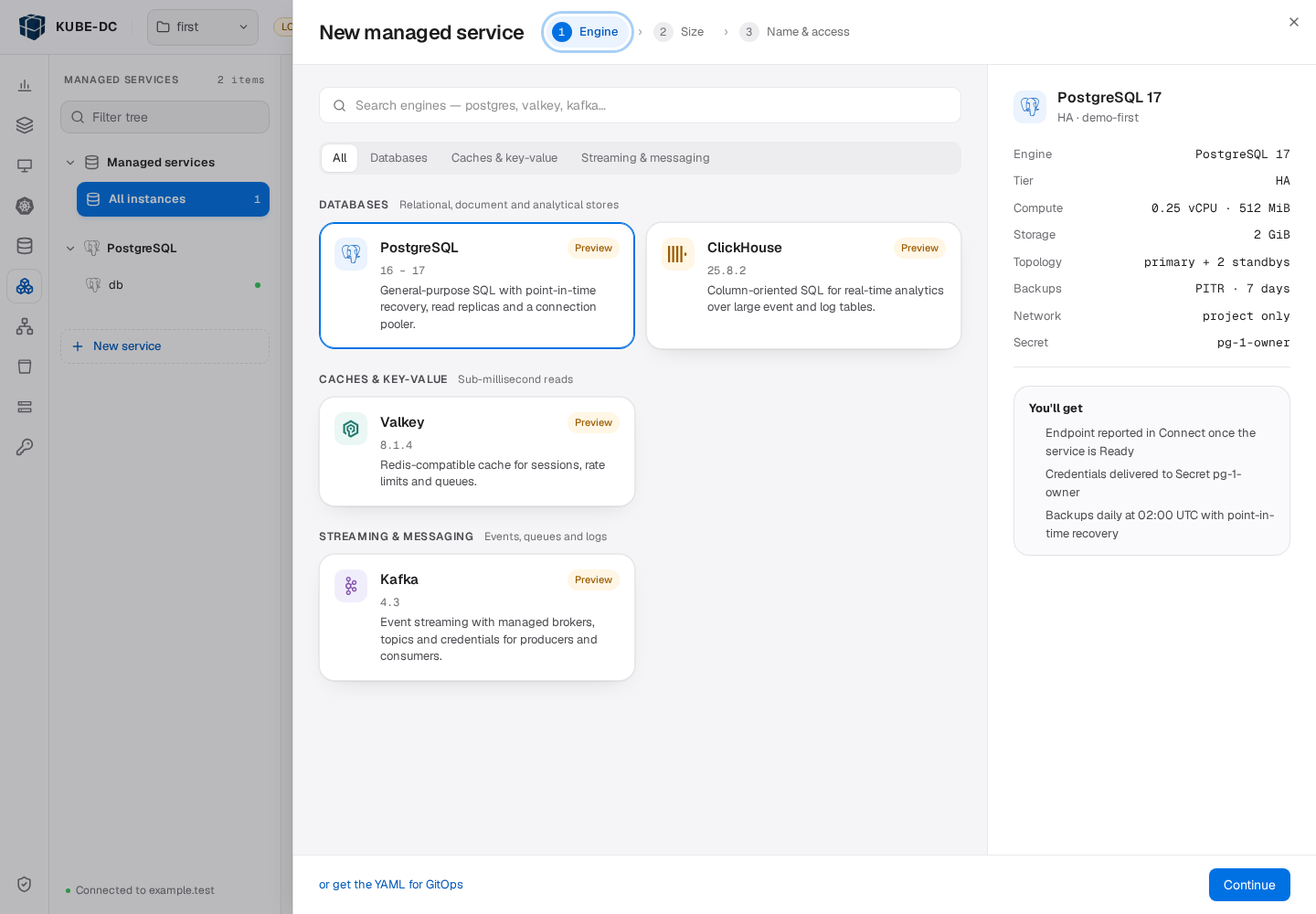
Select New service to open the creation sheet. Its Engine step groups published services by category. Search by name or select a category to narrow the list. Each tile describes the service and the versions available through published plans.
The catalog can contain databases, caches, message brokers, analytics systems, and applications. The selection depends on your installation. A missing service requires a provider integration and published plan.
Create a service
The creation sheet has three steps:
- In Engine, select a service.
- In Size, select a plan tier and adjust capacity within its limits.
- In Name & access, set the name, credential delivery, connectivity, and optional engine settings.
Use Advanced · pick a published plan when you need a plan outside the suggested tiers. Check the plan facts for backups, failover, and supported capacity changes. A Production or HA label does not replace those facts.
A setting marked Fixed by this tier cannot change for that plan. Some families use instances. Others use shards and replicas per shard. See Classes and plans for the common contract.
For credential delivery, select Kubernetes Secret or Later.
Secret delivery creates a binding after the service exists.
The default Secret name is <service>-owner, where <service> is the name you select.
With Later, create the binding from Users & access after creation.
The summary shows the selected version, plan, capacity, topology, backup policy, network, and Secret name. To inspect the request before submission, select or get the YAML for GitOps. If you use GitOps, save the manifest and apply it through your pipeline. Otherwise, select Deploy.
Wait for the service to report Ready before you connect an application. The notification records the request outcome and links to the service. If the request fails, read the reason before you retry.
The service page
The service header shows identity, version, and state. Where the plan supports hibernation, the header also provides a control to stop or resume service compute.
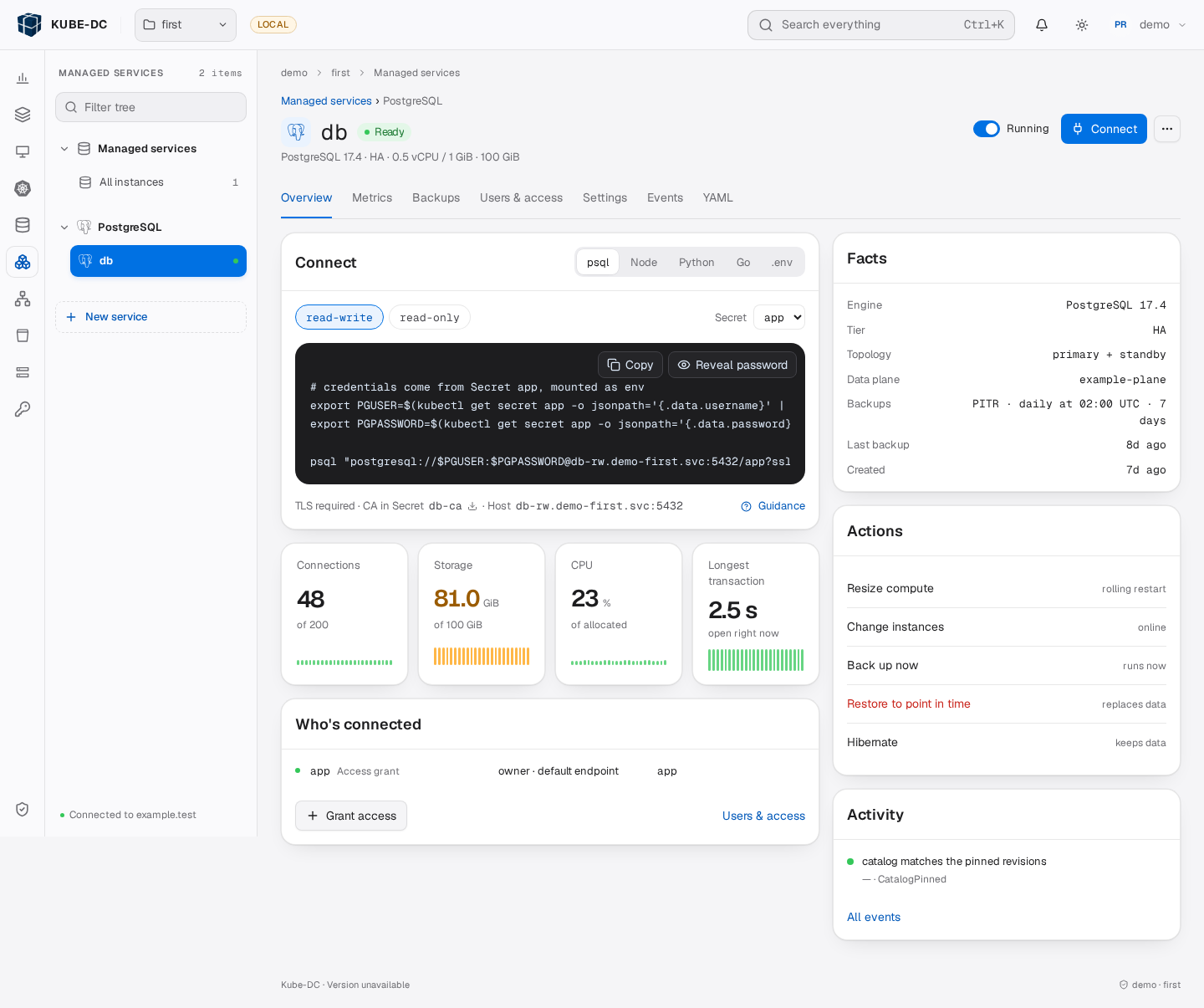
The page organizes details into these areas:
| Area | Purpose |
|---|---|
| Overview | Connection instructions, service facts, bindings, actions, and recent activity |
| Metrics | Service measurements from a configured metrics source |
| Backups | Backup history and supported recovery actions |
| Users & access | Credential bindings and rotation policies |
| Settings | Capacity, backups, connectivity, engine parameters, and deletion settings |
| Events | Change history, platform events, and conditions |
| YAML | Resource inspection and supported edits |
Available controls depend on the class, plan, state, and your role. A missing measurement does not prove that the service is unhealthy.
Connect an application
Use the Connect card for the service endpoint, TLS requirements, and client examples. The examples read credentials from the delivered Secret. Load the supplied CA certificate when the service requires it. Do not disable certificate verification to make a connection succeed.
Use Users & access to create a binding for a supported credential role. Project Secret permissions control who can read the resulting credential. See Connect applications for the shared binding procedure and family-specific client guides.
Change settings or request an operation
Use Settings for fields that permit direct updates. Select Review & apply to inspect the proposed request before you submit it. Capacity and lifecycle actions use operations when the class requires them.
The YAML view can validate an edit with Validate with Kubernetes before you save it. Validation checks admission. It does not prove that the controller can complete the change.
After any change, check the operation result and service conditions. An accepted request can still wait for approval or fail execution checks. See Managed service operations for phases, execution windows, and cancellation.
Check backups and recovery
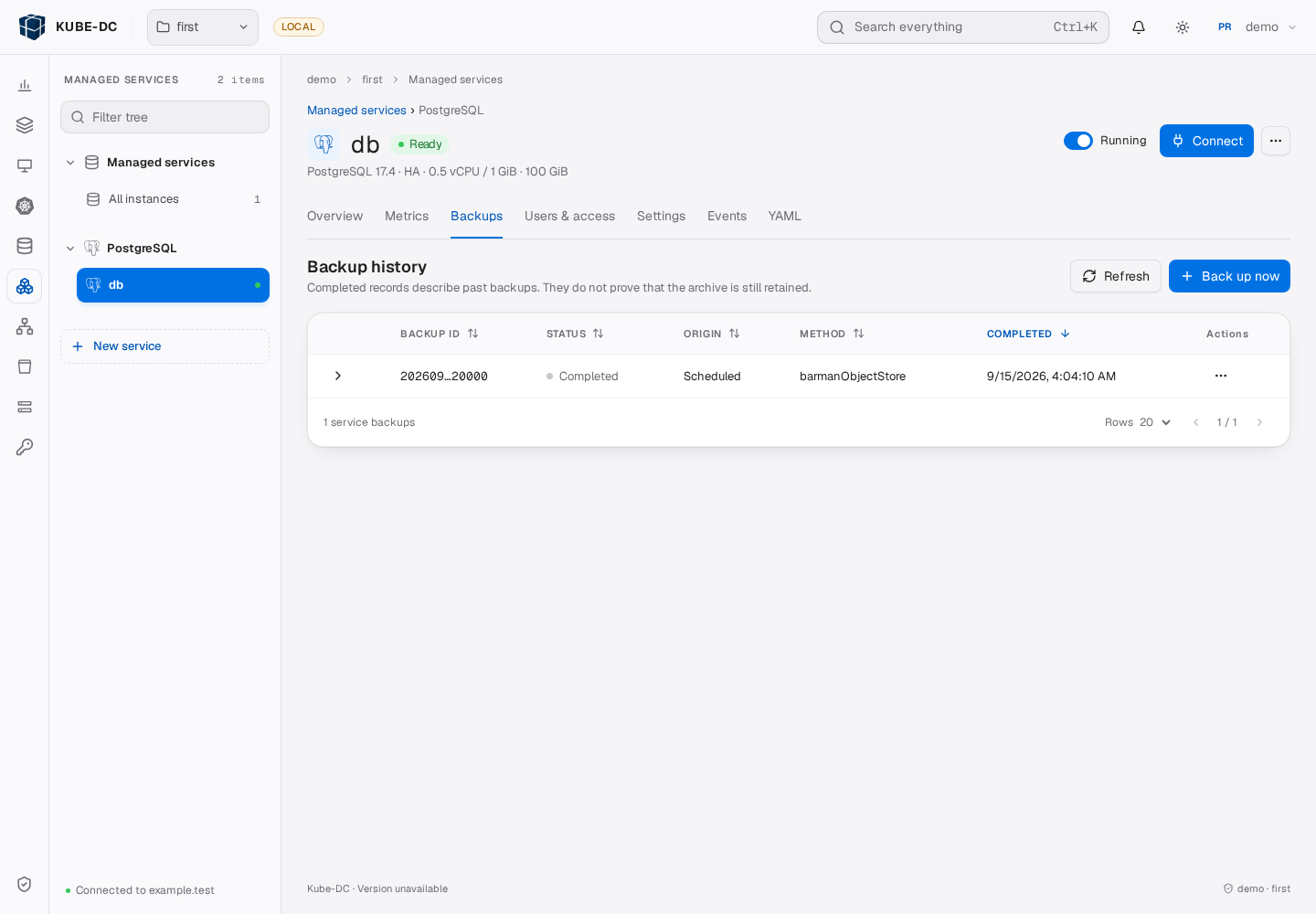
Open Backups to inspect history where the service supports backups.
A Completed record describes a past backup. It does not prove that the archive remains available.
Use the selected record's recovery information before you request a restore.
After recovery, connect through a binding and verify application data. See Back up and restore for backup contents, record selection, and the shared restore request.
Lists and row actions
The service list shows each instance's family, status, and plan. Use its filters to find a service. Row menus provide supported actions, including Resume for a hibernated service. Check each resulting operation when you request a bulk action.
Next steps
Use Delete a managed service before you remove a service or Project.