Virtual machines
Run existing virtual-machine workloads beside Kubernetes applications.
Virtual machines use the same projects, networks, quotas, and dashboards as containers. Compatible line-of-business systems, virtual appliances, and Windows servers can move onto the platform without a separate virtualization control plane.
Guest support
- Linux: the prepared-image catalog identifies the validated distributions and versions (Ubuntu, Debian and other cloud-image distributions).
- Windows: provisioned from prepared images containing the required VirtIO drivers and QEMU guest agent, via the platform's Windows image pipeline — see the published Windows documentation.
- Bring your own image: import qcow2/raw disk images from HTTP or S3 sources into a project; guest and driver compatibility validation is yours.
Provisioning: prepared images and instant clones
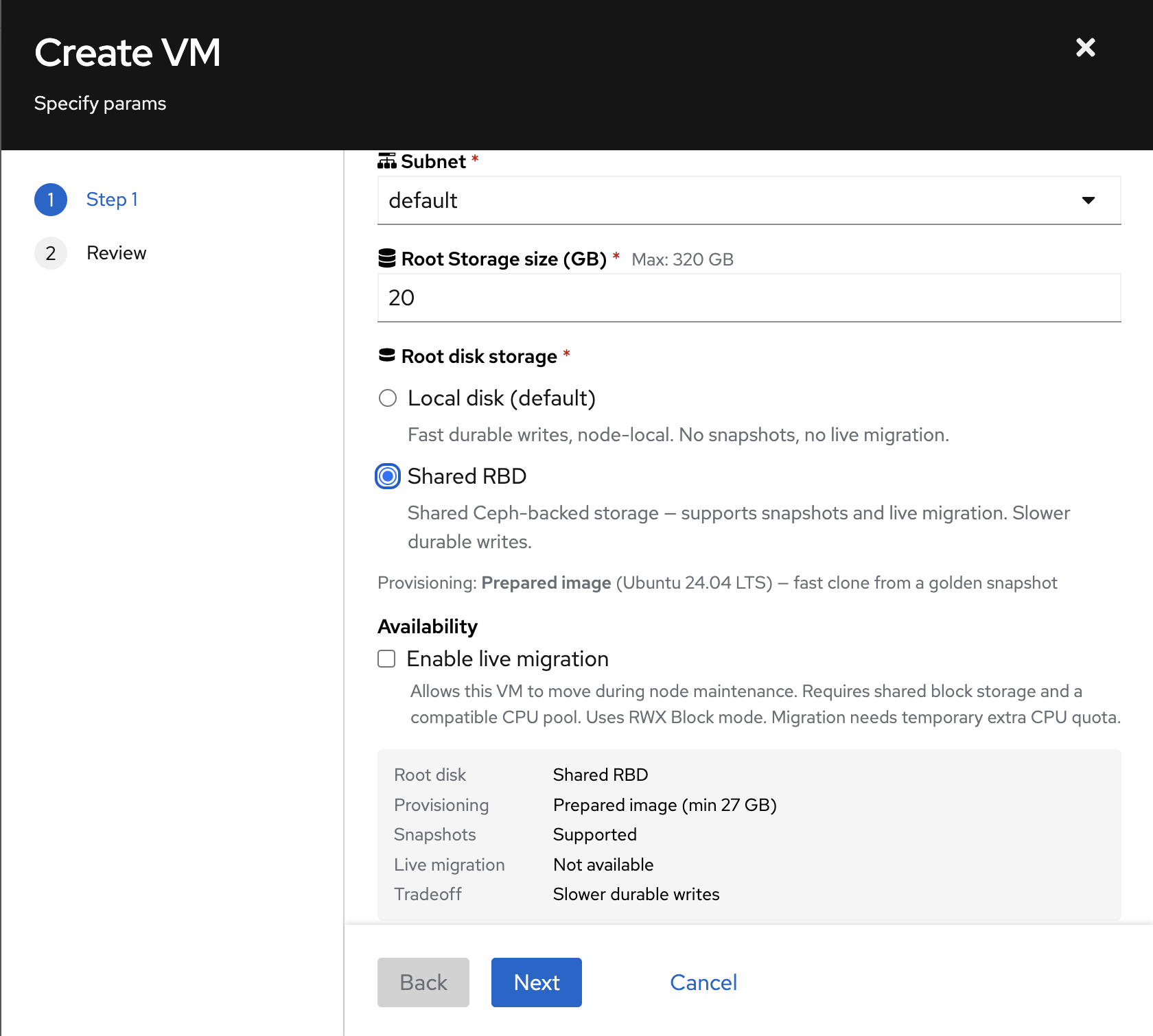
Each project carries a catalog of prepared OS images published as storage snapshots. Creating a VM clones the snapshot — the root disk is created without a per-VM image download or data copy; completion depends on your hardware, storage and current load. VMs are declared as manifests (or created in the console):
- CPU cores, memory and disk size per VM; resizable as the workload grows (disk grows only).
- Cloud-init for first-boot configuration: packages, users, scripts.
- SSH-key injection from the project's managed keypair — no password distribution.
- Interactive console in the web UI for installation, rescue and break-glass access.
VM profiles: standard and migratable
Two documented profiles, selected at creation:
| Standard profile | Migratable profile | |
|---|---|---|
| Root disk | Node-local or replicated block | Shared block storage (read-write-many) |
| Host maintenance | VM restarts on another host | Eligible for live migration during host drains |
| Typical use | Stateless or restart-tolerant workloads | Long-lived servers, stateful systems in VMs |
The Migratable profile pins a common CPU model across the migration pool. A VM is eligible for live migration when its disks use the configured shared block tier and a CPU-compatible destination host has sufficient capacity; failed or ineligible migrations may require a restart.
Lifecycle and operations
- Start, stop, restart and delete from the console,
kubectlor the CLI. - Snapshots of running VMs — online snapshots via the standard Kubernetes snapshot API; install the QEMU guest agent for filesystem-consistent captures.
- Eviction behavior per VM: live-migrate or restart on drain.
- VM manifests are declarative Kubernetes resources — keep them in Git like the rest of your infrastructure.
Networking
VMs attach to the project's VPC like any pod:
- Private addresses in the project subnet; reachable from the project's other workloads.
- Floating IPs give a VM its own external address — inbound and outbound — without a load balancer.
- LoadBalancer services and HTTPS routes can front VM-hosted services exactly as they front pods.
- With VLAN attachment, VMs talk layer-2 to existing datacenter equipment — the consolidation path for systems that expect to sit on a specific network segment.
Storage
- Root and data disks as block volumes; disk expansion online.
- Additional volumes attach and detach as Kubernetes resources.
- Volume snapshots and clones for copies, templates and test environments.
GPU guests
A VM can be given a whole physical GPU (dedicated passthrough) where the platform team has enabled and qualified GPU support — a stronger boundary than software GPU sharing, at the cost of live migration. See the GPU services datasheet for products, entitlements and the qualification model.
Responsibilities
| Concern | Your platform team | Tenant |
|---|---|---|
| Virtualization layer, hosts, live-migration machinery | ✅ | — |
| Prepared image catalog | ✅ publishes | ✅ may bring own images |
| VM sizing, lifecycle, in-guest configuration | — | ✅ |
| Guest OS patching and hardening | — | ✅ |
| VM data protection | Snapshot APIs provided | ✅ snapshots + in-guest/enterprise backup |
| Network exposure | IPs and routes provided | ✅ configures |
What to know before migrating
Disk import from other virtualization platforms is supported (qcow2/raw); migration itself is a planned operation — inventory, guest preparation (VirtIO drivers for Windows), disk conversion, cutover — not an automatic "lift". VMs do not need to be refactored into containers: the point of this function is that they run as VMs, on the same platform your containerized services use.