Managed services
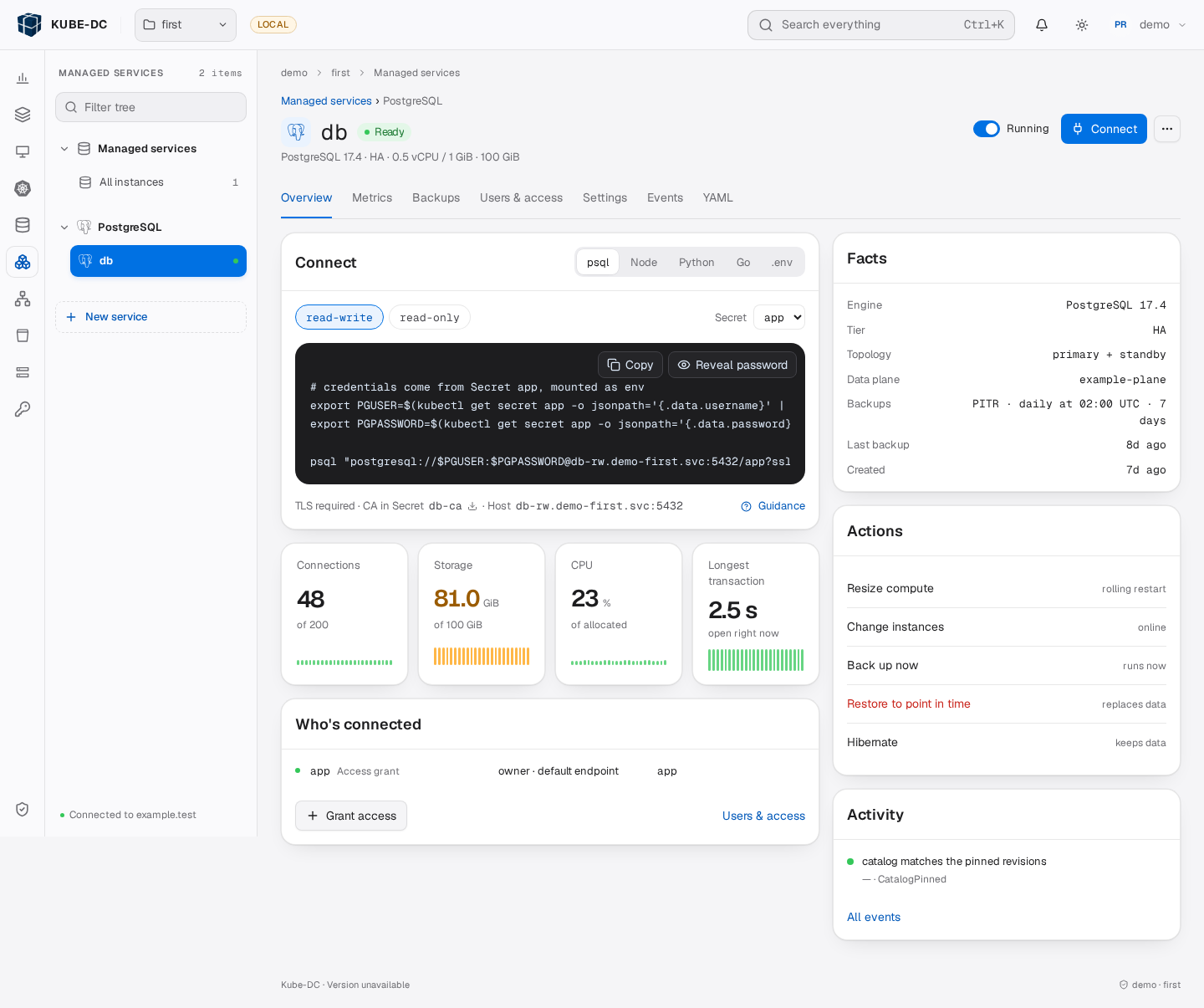
Kube-DC gives platform teams one control model for services that they operate for tenants. Teams select a service and a published plan. The platform provisions the service and reports its state. Applications receive connection details through Kubernetes Secrets.
Design
The design separates provider policy from service implementation:
- A class defines a service family's parameters, endpoints, credentials, and supported operations.
- A plan defines versions, capacity limits, topology, backups, approval rules, and support responsibilities.
- A hub checks requests, selects placement, and signs instructions.
- A runner applies those instructions through a family adapter and reports the result.
The console and Kubernetes API use the same resources. Each service pins catalog revisions. A catalog edit does not automatically move existing services to another revision.
An extensible catalog
Service families can cover relational databases, caches, event streaming, analytics, and applications. Documented examples include PostgreSQL, MySQL, MariaDB, ClickHouse, Valkey, and Kafka. These examples are not a fixed product list.
Providers add a family integration, qualify it on their infrastructure, and publish its plans. A service name alone does not imply availability. The installation's published catalog defines what tenants can select. Each integration declares its own operations and recovery limits.
Operations
The shared operation model provides a consistent request and result record:
| Area | Operations, where supported |
|---|---|
| Capacity | Scale members, resize CPU and memory, and expand storage |
| Configuration | Change supported parameters and upgrade engine versions |
| Access | Deliver credentials, rotate passwords, and set rotation policies |
| Availability | Switch the primary, recover from failure, hibernate, and resume |
| Recovery | Take backups, restore into another service, and restore in place |
| Family-specific tasks | Run actions defined by the service integration |
Plans control which operations tenants can request. The platform checks identity, entitlement, capacity, approval, and maintenance conditions before execution. Immutable operation records retain progress and results.
Advantages
The common design provides these benefits:
- Consistent control: teams use the same resources for different service families.
- Provider policy: plans limit capacity and operations before tenants request changes.
- Repeatable configuration: teams can review manifests and apply them through GitOps.
- Controlled change: approval rules, maintenance windows, and revision pins limit unintended changes.
- Visible results: service conditions and operation records distinguish accepted requests from completed work.
- Catalog growth: providers can add integrations without a separate tenant control model for each service.
Data protection and access
Backup support depends on the family and plan. PostgreSQL supports base backups and point-in-time recovery where configured. MySQL, MariaDB, ClickHouse, and Valkey use their documented archive formats. Kafka metadata exports do not contain message data.
Replication does not replace a backup. High availability also depends on independent failure domains, available capacity, and the selected topology. Tenants must test restores and arrange separate copies when site recovery is required.
A binding delivers one credential role into the Project. Project Secret permissions control who can read it. Applications must reload credentials after rotation and reconnect after service interruptions.
Responsibilities
Responsibilities remain explicit for each plan:
| Platform team | Tenant team |
|---|---|
| Publish qualified integrations and plans | Select a plan for the workload |
| Operate controllers, engines, and capacity | Manage application data and client behavior |
| Execute supported backups and maintenance | Set allowed policies and verify recovery |
| Enforce access and approval controls | Assign Project roles and protect delivered credentials |
For procedures, see Managed services. For installation and catalog design, see Managed services architecture.